%401x.png)


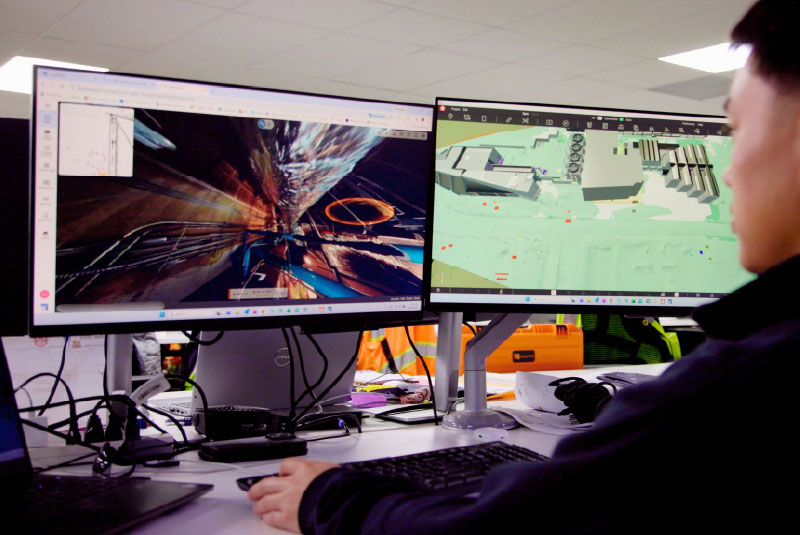
The built world is in 3D, but most construction software platforms don’t let you interact with that data in one place.
You have to click through floorplan PDFs in one platform, BIM models in another, and issues in another. And don’t forget about the terabyte of photos on someone’s hard drive.
Being able to understand–and act on–3D, as-built conditions goes far beyond static floor plans or point clouds. But a spatial intelligence platform brings the best of 2D and 3D visual data together. A spatial intelligence platform uses AI-powered processes to:
- Create an immersive 3D environment from 360 video captures
- Instantly connect all 3D site reality with BIM,
- Detect what’s changed between captures and identify when risk emerges
In this article, we'll explore what a spatial intelligence platform is, how it works, and how you can start implementing it on your projects.
What Is a Spatial Intelligence Platform?
A spatial intelligence platform is a type of reality capture software for construction and facility operations. What makes it unique is that it’s continuously updated understanding of site reality that aligns design intent with what’s actually built, detects change and risk, and directs teams to what needs attention.
Spatial intelligence platforms like Cupix ingest spatial data—360° imagery, LiDAR, BIM models, drone data, —to create a high-fidelity 3D model of a physical space.
Core capabilities include:
- 3D visualization that allows users to walk through spaces virtually
- Spatial indexing that pins every issue, measurement, and observation to a precise location
- Change tracking that compares site conditions across time-stamped captures
- Issue management with spatially anchored comments, RFIs, and tasks
- Analytics and reporting including progress reports, BIM deviations, and more
- Integration with existing systems like Autodesk Construction Cloud, Procore, Revizto, and Oracle P6
This approach goes well beyond traditional BIM or CAD by fusing as-built reality (captures), design intent (BIM), time-based progress (schedules), and operational information (asset tracking) into a single, navigable 3D context.
Cupix VP of Customer Success explains more about what spatial intelligence is in the video below:
Who Uses Spatial Intelligence Platforms?
Spatial intelligence platforms serve diverse stakeholders—owners, general contractors, specialty contractors, and facility managers—without requiring them to be 3D experts. Anyone can log in, navigate, and extract value from the spatial context.
And within each of these firms, different users can get value out of spatial intelligence:
- BIM/VDC teams - Verify 3D as-builts against 3D design plans to catch discrepancies early
- Field teams - Capture and report site progress quickly and accurately, without needing to rely on laser scanners or LiDAR
- Asset owners/operators - Reduce the time and cost needed to review site conditions with virtual walkthroughs and remote collaboration
Core Components of Spatial Intelligence
Spatial intelligence breaks down into three pillars: Detect, Align, and Protect.
Detect refers to capturing accurate 3D data. Spatial intelligence, analyzes site reality as it changes, identifying schedule risk, design deviations, quality issues and safety concerns. Instead of flooding teams with data, it surfaces the issues that need attention now.
Data inputs include r 360° photos and videos, laser scans, drone imagery, BIM models, and floor plans. The goal is flexible data capture that meets teams where they are with the tools they already use.
Align describes how the platform aligns design intent with what’s actually being built on site. Discrepancies are highlighted in the right context, helping teams isolate issues and resolve them before they turn into rework or delay and cause costs to spiral out of control.
Data inputs include RFIs, issues, tasks, and schedules, which are mapped directly to locations in the 3D space. Spatial analysis happens in context, allowing users to see not just what something is, but where it is and how it relates to surrounding systems.
Protect is where spatial intelligence creates a time-stamped, spatial record of how a project unfolds. Teams can verify who did what, when and where during construction or, when needed, years later.
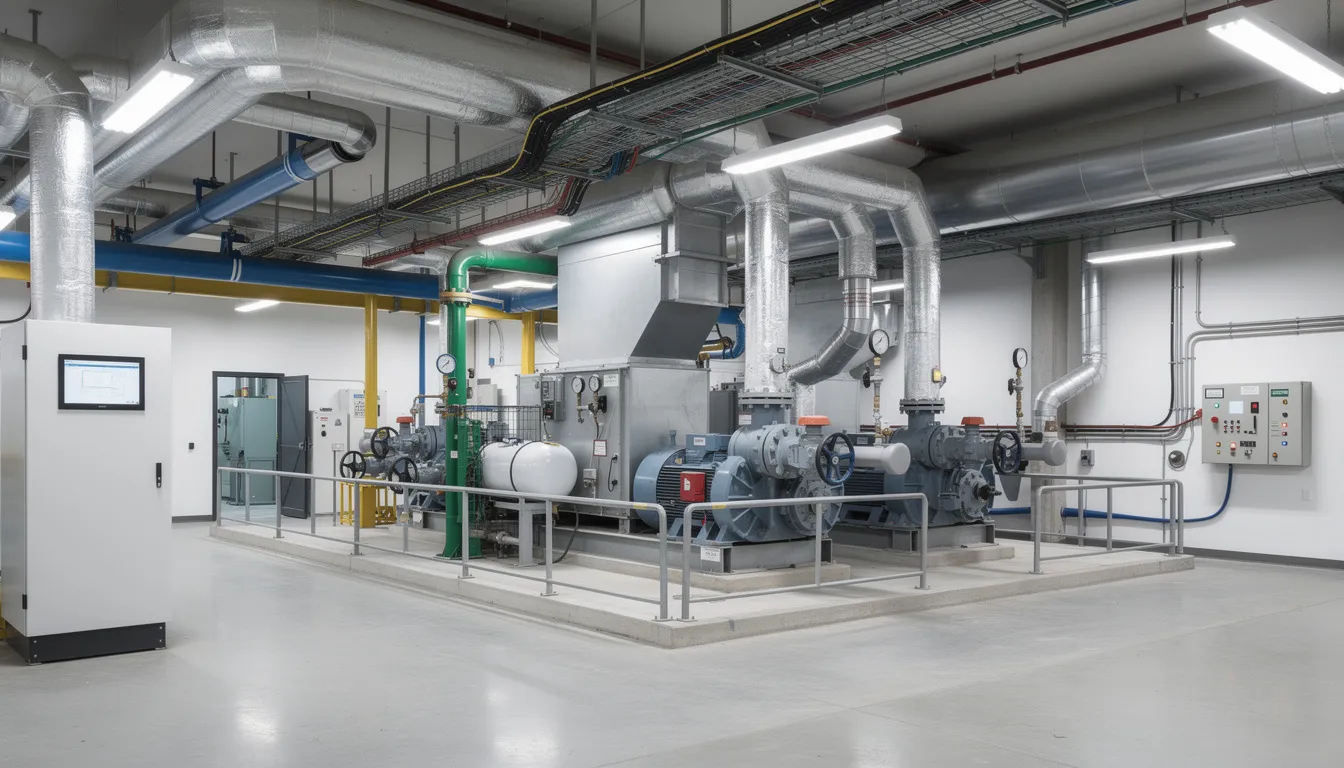
Examples include coordinating trades in a congested mechanical room, validating work-in-place before payment applications, and planning safe access routes in active construction sites. The platform turns observations into actionable insights that move projects forward.
This is how spatial intelligence serves as a single, defensible source of truth. drives decisions and workflows.
What Is the Difference Between Spatial Intelligence and Reality Capture?
Spatial intelligence is an emerging term in the construction technology industry, representing the next evolution of reality capture data. It builds upon previous methods like photos, panoramas, and video, moving toward a smarter, more automated analysis of this data using technologies like image recognition to quickly extract insights.
Spatial intelligence is the next evolution of reality capture. While reality capture is the process of collecting the data, spatial intelligence is the analytical use of that data across all dimensions to pull out necessary information, highlighting potential applications, automation, and easy sharing.
Here are several differences:
How Cupix Delivers Spatial Intelligence
Cupix’s spatial intelligence platform transforms real-world environments—construction sites, industrial facilities, complex buildings—into living digital environments that can be measured, analyzed, and optimized continuously. With reality capture, spatial analytics, and collaboration tools in one place, teams can accurately document and track progress, identify design issues before costly rework, and avoid disputes.
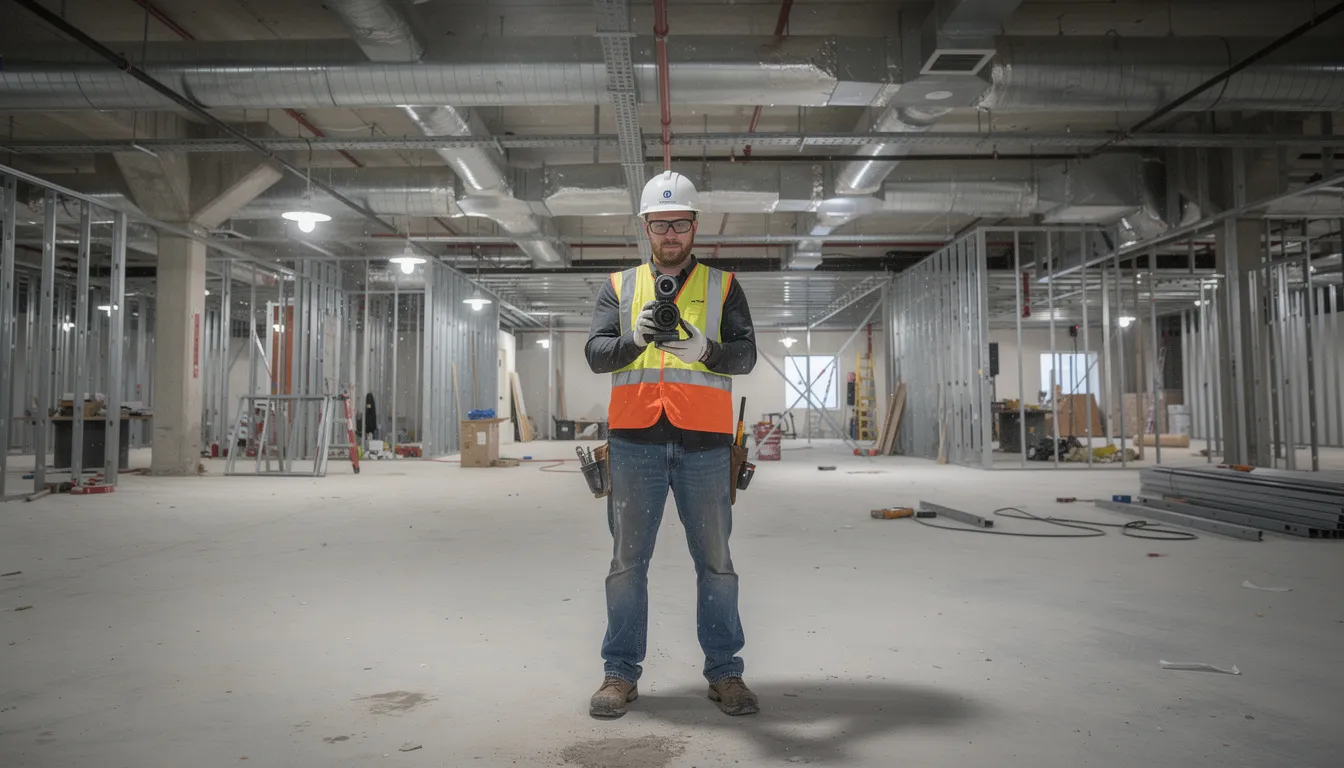
Users can walk a site with a 360° consumer-grade camera and, within hours, navigate a full 3D walkthrough in Cupix that is aligned with BIM models, drawings, and project data. The browser-based interface lets stakeholders anywhere in the world explore spaces, measure, annotate, and compare “then vs. now” conditions—all without installing heavy software.
Spatial intelligence in Cupix is tightly connected to project controls—schedules, progress metrics, issues—and operations workflows. It’s not visualization for its own sake; it’s spatial context that powers better outcomes.
A full commercial floor can typically be captured in under an hour and processed into a usable 3D view within a working day, depending on data volume and complexity. Automatic alignment to building gridlines, levels, and known reference points ensures that measurements and annotations remain reliable across the project lifecycle.
Each capture becomes a time-stamped layer in the 3D as-built. This enables time-based comparisons and progress tracking in the same spatial context—a capability that transforms how teams verify work and document conditions.
Key Use Cases for Spatial Intelligence in the Built Environment
Spatial intelligence delivers the most value when tied to real project and operational outcomes: faster delivery, less rework, safer sites, smoother handover, and more efficient operations.
Cupix focuses on scenarios across:
- Design coordination during preconstruction and early phases
- Construction execution with progress tracking and verification
- Commissioning with documentation of installed systems
- Facility operations with lifecycle asset management
The following sections explore how spatial intelligence addresses each of these critical phases.
Design Coordination
Project teams can take 360 captures during preconstruction to create more accurate estimates and takeoffs. Once construction is in early stages, BIM/VDC teams can compare current site captures from the field team with BIM models to verify site plans align with design intent . Companies like McCownGordon have been able to avoid costly rework by visually detecting design clashes using spatial intelligence software.
Other practical examples of spatial intelligence for design coordination include:
- Confirming above-ceiling MEP work before drywall closes the space permanently
- Verifying that penetrations and embeds are correctly placed before concrete pours
- Documenting installed equipment locations for commissioning teams
- Comparing actual progress against scheduled milestones with visual evidence
Project Execution and Progress
Spatial intelligence software allows teams to report progress on a regular basis without the need for time-intensive LiDAR or laser scans. While those methods have their place, regular site documentation and progress tracking can be sped up with 360 cameras with captures that are then synced to spatial intelligence software.
Companies like Tutor Perini have used spatial intelligence to save 3-4 hours a day on progress tracking. Having a visual history of project progress also speeds up pay applications and can help resolve disputes faster.
Other practical examples of spatial intelligence for project execution and progress tracking include:
- Documentation of the whole project lifecycle, from preconstruction to handover
- Timeline comparison and reporting to ensure schedule was met
- Fast, intuitive 360° capture with high image quality
- Ability to monitor the completion status of any tracked BIM element (ducts, walls, windows, etc.)
- Customizable reporting for different stakeholders, with detailed drilldowns for project leaders
Remote Coordination and Stakeholder Collaboration
Distributed teams—owners in one city, design teams in another, contractors on site—often have to use different platforms to get the complete picture of project progress. With spatial intelligence software like Cupix, all stakeholders can all log into Cupix and review the same spatial view in real time or asynchronously. Companies like Voith Paper are using spatial intelligence to save 5-10 travel days on international machine installation projects, and enable remote collaboration for global stakeholders.
Project users can navigate 3D environment themselves, pointing to issues and adding comments that stay attached to exact locations. After the meeting, those annotations remain in the spatial context, allowing users to return and see exactly what was discussed.
This approach is particularly valuable for:
- Hospitals with complex MEP systems and strict infection control requirements
- Data centers where precision installation is critical
- Laboratories with specialized equipment and utility demands
- Multi-building campus projects with geographically dispersed stakeholders
The impact includes reduced travel, faster decision cycles, and clearer communication. Everyone can literally see the same thing in context, eliminating the ambiguity that often derails coordination meetings.
Spatial intelligence reduces the need for repeated site visits by owners and designers. They can virtually stand at any point in the building and see what was present on a given day, improving transparency without adding travel costs.
Quality, Safety, and Compliance Monitoring
BIM teams and field teams often use different platforms to host their spatial data, and those may not be integrated during a project. Spatial intelligence provides a structured way to document conditions that might otherwise rely on memory or scattered photos.
Supervisors and quality teams systematically review critical areas in spatial intelligence software to check installation quality, access clearances, and adherence to safety plans. Companies like Boustead Projects use spatial intelligence to reduce on-site inspections by over 50 percent. Other practical applications include:
- Verifying firestopping around penetrations before concealment
- Confirming guardrails and edge protection are in place during active construction
- Documenting temporary works configurations for inspections
- Recording access routes and egress paths for safety planning
Spatially anchored photo evidence is invaluable for regulatory inspections and future claims. The date-stamped, location-specific record created by repeated captures helps demonstrate compliance with health and safety standards and internal quality checklists. This documentation approach significantly reduces risks associated with disputes or regulatory questions.
Operations, Maintenance, and Lifecycle Management
After handover, the same spatial intelligence platform becomes a visual index of the building. Facilities teams can see what’s behind walls, above ceilings, and inside equipment rooms at different moments in time—information that’s often lost when projects close out.
Facility managers click into a space and see recorded equipment locations, valve positions, and routing of critical systems. This context supports maintenance planning with minimal disruption to ongoing operations. Organizations like the City of Coquitlam have seen a 49% increase in the number of building assets recorded in their asset management tool with spatial intelligence integrations.
Spatially organized documentation simplifies:
- Tenant fit-outs where understanding existing conditions accelerates design
- Renovations that require accurate as-built information
- Energy efficiency upgrades that benefit from knowing system configurations
- Long-term asset planning across portfolio properties
Concrete examples include planning a 2028 retrofit of a data hall using captures from original construction, or rerouting piping in a hospital without shutting down critical services because the spatial record shows exactly what’s in the path.
Platform Capabilities That Enable Spatial Intelligence
This section provides a functional view of what enables spatial intelligence inside Cupix: capture flexibility, 3D navigation, measurement tools, change detection, and integrations. These capabilities make spatial analysis and decision making practical for real project teams rather than just 3D specialists.
Flexible Data Capture and Alignment
Cupix accepts data from widely used capture devices, including handheld 360° cameras and laser scanners. Teams can use tools they already have without needing specialized equipment purchases.
Key capabilities include:
- Automatic registration that aligns new captures to existing project coordinate systems
- Floor and level alignment to building gridlines and reference markers
- Interior and exterior coverage connecting facades, roofs, and site logistics areas with interior spaces
- Consistent alignment over time that makes historical comparison reliable
This flexible approach means organizations can start capturing value immediately with equipment on hand, then scale capture protocols as workflows mature.
Immersive 3D Navigation, Measurements, and Annotations
Users navigate through spaces via intuitive point-and-click movement, mini-maps, and floor selectors. The experience feels similar to walking the building virtually, allowing users to interact with the environment naturally.
Measurement capabilities include:
- Precise distance measurements between any two points
- Height and clearance verification
- Tolerance checking against design specifications
- Documentation of as-built dimensions for record drawings
Comments, RFIs, and tasks drop directly into the 3D scene at the exact point of concern. This creates a spatial to-do list that the whole team can access. When someone revisits a comment later, they see the space exactly as it looked at the time of capture—persistent context that supports problem solving and accountability.
Change Detection, Time-Based Comparison, and Reporting
Users flip between time-stamped captures to see what changed in a room, corridor, or equipment yard between two dates. This time-based capability transforms static documentation into a living historical record.
Common scenarios include:
- Confirming that a resolved clash was actually corrected on site
- Checking that penetrations added last week are now properly sealed
- Validating that equipment has been installed after scheduled deliveries
- Documenting progress for milestone reporting and pay applications
Visual reports—screenshots, short clips, or shared viewpoints—export easily or share as direct links. These outputs support progress meetings, leadership updates, and formal documentation requirements. The result is a living historical record far richer than flat photos in shared drives or static PDFs.
Benefits of a Spatial Intelligence Platform for AECO
Spatial intelligence delivers concrete business outcomes: cost savings, risk reduction, time savings, and better experiences across the building’s lifecycle. These benefits accrue to multiple roles—owners, GCs, specialty contractors, designers, and facilities teams all gain tailored advantages.
Reduced Rework and Fewer Site Conflicts
Early detection of discrepancies between design and as-built conditions prevents costly rework later in the schedule. When teams can compare reality against models during construction rather than after completion, they catch problems when they’re still affordable to fix.
Examples include:
- Catching misaligned sleeves during shell and core phases rather than after ceilings close
- Identifying congested MEP routing before systems are fully installed
- Verifying that embeds and penetrations match structural drawings before concrete pours
- Detecting coordination issues between trades before they become site conflicts
Visual evidence also helps resolve disputes quickly. Everyone can see the same condition as it existed at a given time, removing ambiguity from conversations about what was built and when.
Improved Transparency and Trust Among Stakeholders
Shared access to the same 3D site view builds trust across project teams. Owners see real progress without requiring site visits. Contractors demonstrate work-in-place with visual evidence. Designers confirm that their intent is being respected in the field.
This transparency supports more collaborative relationships. Teams move away from blame and toward joint problem solving because the spatial record provides an objective reference point. Consistent, spatially anchored documentation reduces ambiguity in conversations about what was built, when, and by whom.
Customers gain confidence that their investment is being executed as planned, while project teams gain credibility through verifiable documentation.
Faster Decisions and More Resilient Projects
Spatial intelligence supports faster, more confident decisions by providing immediate visual context for every issue and option. When a question arises, teams can navigate directly to the relevant space and see current conditions rather than waiting for someone to visit the site and report back.
This capability helps teams adapt to change—scope adjustments, material substitutions, schedule shifts—without losing control of quality and safety. Remote access to the site via spatial intelligence makes projects more resilient to travel restrictions, labor constraints, and geographically dispersed stakeholders.
Looking ahead through 2030 capital programs, these benefits become increasingly critical as projects face tighter schedules, labor shortages, and rising expectations for documentation and accountability.
Implementing a Spatial Intelligence Platform with Cupix
Adopting spatial intelligence doesn’t require massive upfront disruption. Cupix is designed to fit into existing project delivery and operations workflows, providing seamless integration with current processes while adding new capabilities.
Getting Started: Pilot Projects and Early Wins
Start with a specific project area where visibility and coordination are challenging:
- A single floor with active coordination between multiple trades
- A critical mechanical room with complex MEP systems
- A renovation project where understanding existing conditions is essential
- A remote site where travel for coordination meetings is impractical
Early goals might include improving progress reporting accuracy, reducing the frequency of onsite coordination meetings, or documenting concealed conditions before walls and ceilings close. Teams can typically move from first capture to usable insights within days on a pilot, building internal confidence and momentum.
The pilot sequence is straightforward:
- Define scope and success criteria
- Complete initial captures
- Review and navigate the 3D environment
- Measure results against baseline
- Decide on scaling approach
Scaling Across Portfolios and Lifecycles
Organizations can extend spatial intelligence from one project to entire capital programs using consistent capture standards and project templates. Over time, owners build a portfolio-wide library of 3D as-builts that support operations, renovations, and long-term asset planning.
This approach aligns with the industries’ shift toward data-driven asset management and lifecycle thinking. A building captured during construction becomes an operational asset that facilities teams reference for years, supporting tasks from routine maintenance to major renovations.
Cupix serves as the ongoing platform for this lifecycle approach—a durable capability that supports every stage from design validation through decades of operations.
Conclusion: Turning Spaces into Strategic Intelligence
A spatial intelligence platform delivers far more than 3D visuals. It turns the built environment into a continuously updated source of insight and value—a capability that supports better decisions at every project phase.
Cupix brings together site captures, 3D as-builts, BIM models, schedules, and spatial analytics to help teams deliver projects with more predictability, safety, and efficiency. The technology enables organizations to explore their assets remotely, track changes over time, and connect spatial context with project and operations data through integrated workflows.
Consider where in your current projects you lack clear visibility. Complex coordination zones, remote sites, spaces about to be concealed—these are ideal starting points for spatial intelligence. As buildings become more complex and expectations rise through 2030 and beyond, spatial intelligence will move from a nice-to-have to a standard way of working. The organizations that build this capability now will be better positioned to deliver value to their clients and manage their assets for the future.