

Off-site BIM verification
Remote BIM site verification with simple 360° capture
Verify BIM remotely by syncing as-built 360° captures with BIM in one georeferenced environment. The platform supports cross-discipline coordination through automated BIM revisions from Autodesk BIM 360 and Autodesk Forma, and integration with Revizto for BIM coordination and issue management.

Site Design vs Site Reality
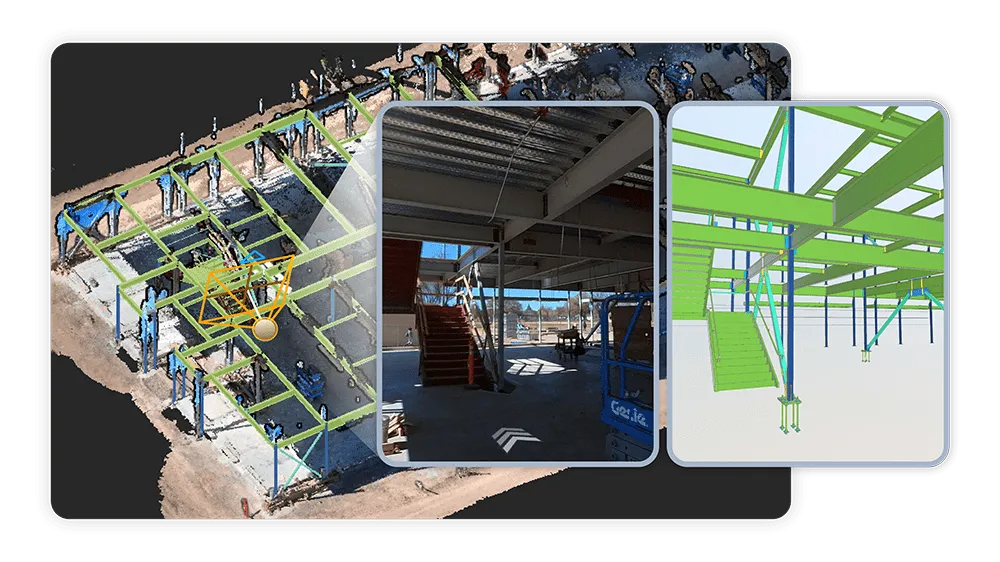
Verify construction against design intent by comparing as-built conditions to BIM. Overlay BIM elements or 2D drawing lines on 360° virtual tours or measurable 3D maps for instant construction verification and quality control. Catch discrepancies early and prevent rework and delays.
Cross-discipline coordination
Improve cross-discipline coordination by comparing BIM models from each team, including architecture, structure, MEP, and HVAC, with as-built conditions. View and combine models selectively, even when the latest federated Navisworks model is not available.
Cross-discipline coordination
Improve cross-discipline coordination by comparing BIM models from each team, including architecture, structure, MEP, and HVAC, with as-built conditions. View and combine models selectively, even when the latest federated Navisworks model is not available.
Sync with BIM360, Autodesk Forma and Revizto
Keep project data in sync through direct integrations. Sync with Autodesk BIM 360 and Autodesk Forma, and use the Revizto integration for BIM coordination. Create as-built issues linked directly to BIM coordination tasks.
Effortless BIM updates
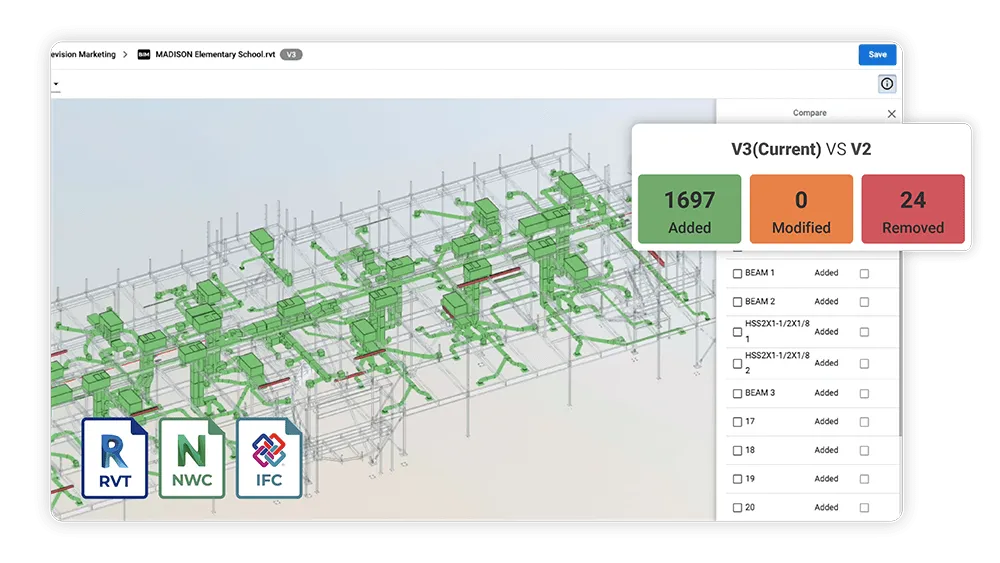
Sync your BIM in CupixWorks with BIM 360 or Autodesk Forma in one click. Or upload and review new versions directly, checking added, removed, or modified elements before you update. Your as-built documentation stays current and accurate.
Effortless BIM updates
Sync your BIM in CupixWorks with BIM 360 or Autodesk Forma in one click. Or upload and review new versions directly, checking added, removed, or modified elements before you update. Your as-built documentation stays current and accurate.
Navigate using gridlines
Find your way in 360° virtual tours with BIM gridlines extracted automatically. Grid lines and labels show exactly where you are on site.
Once you actually see how much time you save with tools like Cupix, you're not going to want to go back.
Evans DeHart
Senior BIM Engineer

READ STORY
Stop rebuilding the record every time the plan changes.
Book a demo to see how Cupix automatically connects your site captures to your latest designs, timelines, and operational assets.